Last updated: October 2026. Legal and consent note: This guide does not teach you to spy on another person. Recording or watching someone in a private space without consent can be illegal and can cause serious harm. This guide is reframed for protection only. It explains how smart TV spying can happen in general terms, how to spot the signs, and how to protect your own TV and the people in your home.
- Is It Possible To Spy On Someone Through Their TV?
- How TV Spying Happens: Risks to Know, Not Steps to Copy
- 1. Hacking and malware: what defenders should know
- 2. Hidden cameras: how to check for them
- 3. ACR technology: what your TV collects about viewing
- Is Spying On Someone Illegal?
- How to Know If Someone Is Spying On You Using a Smart TV
- How Do I Stop Someone from Spying On Me Using A Smart TV
- What to do if someone is spying on you
- Final Verdict
- FAQs
You might be worried that a smart TV camera, microphone or viewing data is being used to watch or listen to you or your family. That is a privacy and safety concern, not a reason to monitor someone else. The sections below focus on detection, prevention and consent.
Is It Possible To Spy On Someone Through Their TV?
Yes, in some cases a smart TV can be misused for spying. This page explains the risks in general terms so you can defend yourself. It does not provide steps to hack a TV or to watch another person.
A smart TV is connected to the internet and provides various features such as web browsing, streaming services, and apps. This connectivity to the internet is what makes these devices vulnerable to hacking attacks.
A smart TV can be at risk if its software is out of date, if a malicious app is installed, or if an attacker gets access to the home network or the TV account. Weak router security and reused passwords make this easier for an attacker. Keeping software updated and accounts secured is the main defence.
Some smart TVs also come with in-built cameras and microphones. These features seek to improve the user experience but can also help you spy on people.
The Automatic Content Recognition (ACR) technology is used by the smart TV to determine the content you are watching and recommend shows. While this improves the user experience, it can also help you spy on the target person.
How TV Spying Happens: Risks to Know, Not Steps to Copy
Now that we know it is possible in some cases, let us look at the main risk areas in general terms, and what to do about each one. No step by step instructions for spying on another person are given here.
1. Hacking and malware: what defenders should know
Attackers may try to exploit old TV software or a weak home router. You should not try to obtain or guess another person login details for a TV or network. If you manage the TV, keep its firmware updated and use a strong, unique password for the TV account and for your Wi-Fi.
The risk is real when a router uses a default password, remote access is left on, or TV firmware is not updated. Secure the router first. Our guide to securing your home wireless network explains those steps.
Using hacking methods against a family member TV is still unauthorised access. It is also risky for you, because the person helping you could keep access for themselves. Use only the protection steps in this guide.
One of the most common ways through which a hacker can gain unauthorized access to your smart TV is through malware. Malware is a form of software that causes harm to your computer.
A smart TV is like a smartphone. With it, you can download many applications such as Netflix, Amazon Prime, Hulu, etc. However, a hacker can also trick you into downloading malicious applications on the TV, which might be a spy camera.
A malicious app or file on a smart TV could put privacy at risk. Only install apps from the TV official app store, remove apps you do not recognise, and do not sideload files from unknown sites. If you suspect a malicious app, disconnect the TV from the internet and contact the manufacturer support.
Hacking into a smart TV is a crime when it is done without the owner consent. Do not hire someone to do it. If you need help securing your own TV, use the manufacturer support or a trusted local technician, and be present while they work.
You should note that an ethical hacker will not agree to help you spy on someone using malware. In this case, you have to hire a black-hat hacker, who might jeopardize your privacy and that of your loved ones.
2. Hidden cameras: how to check for them
A separate hidden camera is not part of the TV, but it can be placed in a room without people knowing. Secret recording in a private space is illegal in many places and is a serious invasion of privacy.
If you are worried about a hidden camera in your own home, look for unfamiliar small devices, unexplained blinking lights, or objects that have been moved to face a bed or seating area. Talk to household members first, as many cameras are legitimate security devices that should be disclosed to everyone in the home.
Do not install a hidden camera to watch another person. For child safety or home security, use visible cameras, tell household members and visitors they are there, and set them up only where people do not have a reasonable expectation of privacy, such as an entrance.
Secret recording of a partner, family member or visitor is not made lawful by living in the same home. Consent and local law matter. When in doubt, do not record.
Any camera based monitoring needs physical access and, more importantly, a lawful reason and disclosure. Without those, it can be illegal surveillance, not home security.
When checking for a camera, do not shop for a hidden model to use on someone else. Check for a device that should not be there, and remove or cover it if you find one in a private area.
Legitimate security cameras in a shared home should be visible and declared. A battery powered camera hidden in a bedroom or bathroom is a red flag, not a feature to copy.
If you find an unknown camera, note where it is, disconnect it, and consider reporting it if you believe it was used to record people without consent.
A camera that streams live to someone else phone is especially serious. Treat an unknown streaming device as a safety issue, disconnect your router if needed, and change your Wi-Fi password from a clean device.
There is no safe place to hide a camera to watch another person. This guide will not suggest hiding places. Instead, check common private areas in your own home if you have a concern, and talk to the people who live there.
3. ACR technology: what your TV collects about viewing
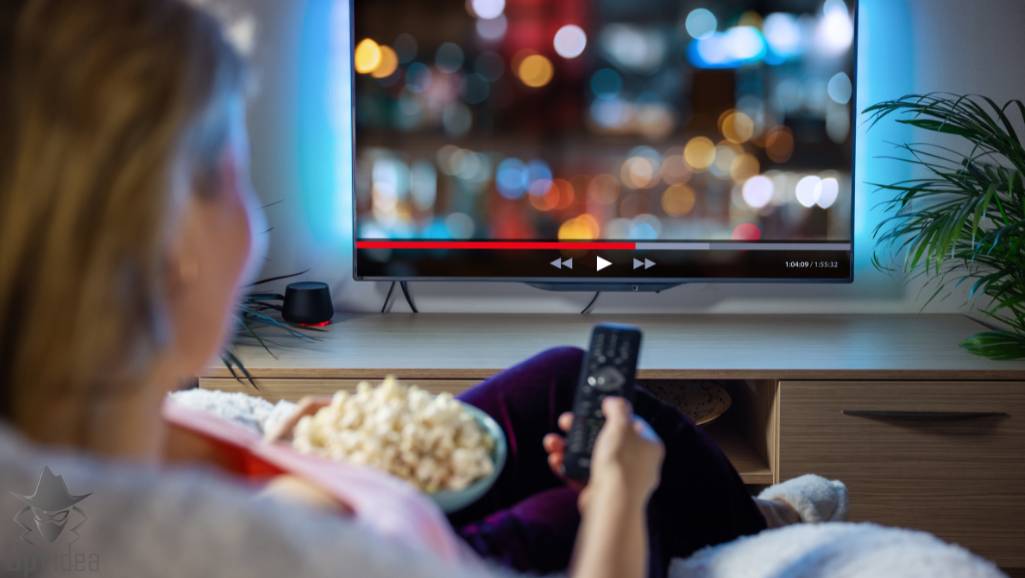
ACR technology identifies what a smart TV user is watching or listening to, in general terms, by matching short samples against a database. It is a data collection feature built for recommendations and advertising, not a tool for you to monitor another person.
Most smart TVs have this feature. The collected data goes to the TV manufacturer and its partners under the TV privacy policy. You can usually limit or turn off viewing data collection in the TV privacy settings, and the exact menu name differs by brand.
Do not try to get another person viewing data from a manufacturer. Viewing data belongs to the account holder. For your own TV, review the privacy settings and turn off ACR or viewing information services if you do not want this collection.
If you are concerned about what your kids watch, use the TV and streaming service parental controls and profiles. Those tools are open, age based and designed for parents. They are better than secret monitoring.
When using your own TV, you can contact the manufacturer support team to ask what viewing data is collected and how to limit it. Check the privacy policy for your exact model.
Is Spying On Someone Illegal?
Spying on someone through a TV, camera or account without consent is unlawful in many places. This section explains the legal risk so you do not cross that line.

For your own children, use parental controls, content ratings and profiles that are open and age appropriate. Do not secretly record a nanny, visitor or partner. If a camera is used for home security, tell everyone in the home and keep it out of private areas such as bedrooms and bathrooms.
Invasion of privacy and unauthorized surveillance are serious crimes that could land you in jail.
How to Know If Someone Is Spying On You Using a Smart TV
Now that you know the risks in general terms, let us look at the signs to watch out for on your own TV.
Unknown apps and files
It is important to always review the apps and files installed in your smart TV. If you find apps that you do not recall installing, it could indicate that someone is spying on you.
You can check with the members of your household or the people that use your smart TV to know whether they installed the unfamiliar apps. If they did not, it could indicate that someone is spying on you.
Unusual activity
If you notice unusual activity on the apps installed on your phone, it could indicate compromise. Check the search history of apps and browsers to detect any suspicious searches.
Besides unusual app activities, you might also notice strange behaviors on your TV. Such behaviors include noticing functions that you did not initiate with the remote. For instance, the TV’s volume levels might go up and down without your input. You might also notice some random changes in your TV’s settings.
If this happens, you should disconnect the smart TV from the internet immediately. It is also advisable that you remove it from the power source and turn it off. You can then consult a cybersecurity expert to help remove any virus.
It is also recommended that you change the passwords of the affected apps and reach out to customer support.
Trouble switching off the TV
You might also have trouble switching off the TV. Sometimes, a hacker might deploy a fake off mode that will make the TV look like it is switched off but it is not.
Another sign to know is a fake off mode, where a compromised TV can look off while a camera or microphone stays active. This is a risk to recognise on your own TV, not a trick to use on anyone else.
In this case, a hacker turns off the backlights of the TV to make it appear like it is switched off. However, the TV remains on, and someone can access the TV’s camera and microphone to watch you.
When switching off your smart TV, you should always confirm that the power LED light indicator is turned off.
How Do I Stop Someone from Spying On Me Using A Smart TV
Once you know the signs, the next step is to protect your own TV and learn how to catch a problem early. Also see our guides to fake antivirus protection and remote access trojans, which cover similar malware risks.
One way to do this is to disable the in-built camera and microphone. Some TV manufacturers will include instructions on how to do this in the user manual. Brands like Samsung, Sony, and LG have their manuals online.
The second way to protect yourself is installing antivirus software from your TV’s app store. After downloading the antivirus software, run it to scan and remove any malicious virus or software. If you use Samsung, it has an in-built antivirus that keeps you safe.
What to do if someone is spying on you
You will be alarmed if you find someone snooping on you through your TV. So what to do if someone is spying on you?
The first step is to get rid of the malicious software or hidden cameras. You can also choose to notify law enforcement if you do not know the intention behind their actions.
When getting rid of malicious software, it is best that you seek the services of a cybersecurity expert that will help you detect and remove any malicious software that might be installed in your system. The other strategy involves contacting law enforcement.
You should note that when looking for how to spy on someone through their TV, that unauthorized surveillance is illegal. Therefore, you should contact law enforcement if you detect someone spying on your smart TV without your knowledge.
Final Verdict
It is possible for a smart TV to be misused for spying, but the right response is protection, not imitation. Keep firmware and router software updated, use strong unique passwords, limit ACR and camera or microphone access, and check for unknown apps and devices.
Use the detection and protection steps in this guide for your own TV. For related help, see our guides to securing your home wireless network, detecting spyware and remote access trojans.
FAQs
Is it possible to spy on someone through their TV?
In some cases a smart TV can be misused if it is hacked, if a malicious app is installed, or if viewing data is collected through features such as ACR. This guide explains how to detect and prevent that, and does not give instructions to spy on another person.
Is spying on someone illegal?
Yes. Spying on someone without consent can be illegal, including recording or watching them in a private space. Laws differ by place, but unauthorised access and surveillance can lead to criminal charges and civil claims. Only secure devices you own or manage lawfully.
What can I do if someone is spying on me through my TV?
Disable features like microphone and camera access if you find someone spying on you through the TV. Run an antivirus software to remove malicious software and check for hidden cameras.
How can I know that someone is spying on me through my TV?
There are some telltale signs that someone is spying on you through your TV. These signs include unusual app and TV activity.