Quick answer: Online grooming warning signs include sudden secrecy about devices, a new online friend who gives gifts or special praise, pressure to keep chats private, and attempts to move a conversation to a private app. If you see a pattern, stay calm, save evidence, and talk with your child before you act.
- What is online grooming, in simple terms?
- What are the warning signs parents should watch for?
- How can you tell normal teen privacy from secrecy?
- What should you do if you see a warning sign?
- How do you talk with your child without shutting down the conversation?
- How do you protect accounts and devices in practical ways?
- What happens when you report an online contact?
- Key takeaways
- Final verdict: What to do this week
- Frequently Asked Questions
Last updated: November 2026
Parents often ask how they can spot danger without reading every message their child sends. You do not need to spy on every chat to protect your child. You need clear signs, calm routines, and a plan your child understands.
This guide explains grooming in plain language. It covers warning signs, normal teen privacy, practical device checks, and what to do if you are worried. It is written for parents who protect their own children and their own household devices. For a wider safety plan, read the complete family online safety guide and use it alongside this article.
What is online grooming, in simple terms?
Online grooming is a process where an adult builds trust with a child online in order to exploit that child. It usually starts slowly, with friendly chat, praise, or shared interests, and it may later include pressure, secrecy, or requests for private contact.
Grooming does not always look scary at first. That is why it can be hard to spot. A person may act like a friend, a fan, or a helpful older peer. Over time, the person may test boundaries and ask for more privacy. Your job is to notice the pattern, not to judge one message on its own.
How grooming usually starts
Contact often starts in a game, a chat app, a comment section, or a shared interest group. The person may praise a drawing, a game skill, or a video. The person may ask simple questions about school, hobbies, or free time. This stage can feel normal, which is why early attention matters.
Next, the person may offer help, gifts, game items, or special attention. The person may say that your child is mature, talented, or different from other kids. These messages can feel good to a child. They can also create a sense of debt or loyalty. Teach your child that gifts from strangers online always need a parent check first.
Why children may not tell an adult
Children may stay quiet because they fear losing a device, getting in trouble, or losing a friend. They may feel embarrassed, or they may believe the person is a real friend. Some children worry that a parent will overreact and ban an app they love.
You can lower that fear with a clear promise. Tell your child that they can come to you about any online contact, even if they broke a rule. Say that safety comes first, and that you will solve the problem together. Repeat this message often, not only after a scare.
What are the warning signs parents should watch for?
Watch for a pattern of secrecy, flattery, gifts, and pressure to move to private chats. One sign alone may have a simple explanation, but several signs together deserve a calm check and a conversation with your child.
Look at changes in mood, sleep, and device habits. A child who suddenly hides a screen, deletes chats often, or becomes upset when a device is mentioned may be under pressure. Trust your knowledge of your child, and ask open questions before you draw a conclusion.
| Warning sign | What it can look like | Why it matters |
|---|---|---|
| Sudden secrecy | Hidden screens, new passwords, deleted chats | Private contact is harder for you to support |
| Special praise and gifts | Game items, money, compliments, or favours | Gifts can create pressure or loyalty |
| Move to a private app | Pressure to leave a game or group chat | Private chats remove other adults from view |
| Isolation from family | Claims that parents will not understand | Isolation makes a child easier to influence |
| Requests for personal details | Questions about school, photos, or routines | Personal details can be used to gain access |
Secrecy and a sudden change in device habits
Secrecy is one of the clearest warning signs when it is new and strong. A child may turn a screen away, switch apps when you walk in, or use a device late at night. A child may also use code words, second accounts, or a friend device to keep contact hidden.
Do not start with an accusation. Say what you noticed in plain words. Ask who the person is, where they met, and what they talk about. Keep your tone steady, even if the answer worries you. Your child is more likely to keep talking if you listen first.
Flattery, gifts, and pressure to keep a secret
Flattery can feel harmless, but it can also be a tool. A person may call your child special, mature, or talented. A person may offer game currency, skins, or help with homework. These offers can make a child feel chosen and grateful.
Pressure often follows. The person may say, do not tell your parents, they will ruin this. The person may threaten to end the friendship or share a message if the child stops replying. Teach your child that any request to keep an online friendship secret from a parent is a red flag.
Other signs include age lies, late night chats, and a new friend who knows too much too fast. A person may ask about a child’s school, home routine, or photos. A person may also try to turn a child against family or friends. Take notes about usernames, dates, and exact words, so you can report clearly if needed.
How can you tell normal teen privacy from secrecy?
Normal privacy is open about the type of contact and the platform, even if the details stay private. Secrecy hides the person, the platform, or the content, and it often grows after a parent asks a simple question.
Teens need space to talk with friends and build independence. Privacy becomes a concern when it is paired with fear, gifts, late night pressure, or a new adult contact. Judge the pattern and the context, not one closed door or one private chat.
Healthy privacy in a teen household
Healthy privacy means your child can tell you the app, the group, and the general topic. Your child may not share every joke or photo, and that is normal. Your child should still accept family rules about friend requests, location sharing, and private messages from strangers.
Agree on a rule that is easy to remember. New online friends stay in public or group spaces until a parent knows who they are. Private chats with adults who are not family, teachers, or coaches need a parent check. This rule protects your child without banning social contact.
Secrecy that needs a closer look
Secrecy needs a closer look when your child cannot name the person, hides the app, or reacts with panic to a simple check. It also matters when your child changes passwords often, uses a second account, or asks friends to cover for an online contact.
Check gaming and chat settings together, not in secret. The online gaming safety guide for kids can help you set friend rules and private chat limits. The Discord safety guide for teens can help you review servers, direct messages, and friend requests on that platform.
What should you do if you see a warning sign?
Stay calm, save evidence, stop private contact, and report the account through the platform and, when needed, to the National Center for Missing and Exploited Children CyberTipline or local law enforcement. Then support your child and review privacy settings together.
Do not delete messages right away. Screenshots, usernames, profile links, and dates can help a platform or an investigator act. Do not confront the person yourself, and do not ask your child to keep chatting to gather proof. Safety comes before proof.
| Step | What to do | Why it helps |
|---|---|---|
| 1. Pause | Stay calm and reassure your child | A calm adult keeps the child talking |
| 2. Save | Take screenshots and note usernames and links | Evidence supports a clear report |
| 3. Block and report | Block the account and use the platform report tool | Blocking stops direct pressure fast |
| 4. Report outside the app | Use NCMEC CyberTipline or local law enforcement when needed | Outside reports can reach investigators |
| 5. Review and support | Check settings and talk about next steps | Support prevents fear and repeat contact |
How do you talk with your child without shutting down the conversation?
Start with curiosity, not a lecture. Ask what happened, how it made your child feel, and what your child wants to happen next. Then agree on a next step together, and follow through on that step.
Use short, calm sentences. Say, I am glad you told me. Say, we will handle this together. Avoid blame for a click, a reply, or a gift. Blame makes a child hide the next problem. Praise honesty, even when the news is hard to hear.
Questions that open a conversation
Ask, who is this person, and how did you meet them. Ask, what do you talk about, and has anyone asked you to keep a secret. Ask, has anyone offered you gifts or asked for photos or personal details. Listen to the full answer before you give advice.
If your child shuts down, do not force a long talk at once. Say that you will check back later, and then do so. Short, repeated check-ins work better than one long, tense talk. Keep device rules clear and consistent, so your child knows what will happen next.
What to say after a warning sign
Tell your child that the adult contact is not their fault. Tell your child that you will block and report the account together. Explain that you may need to save messages and contact a platform or an authority. Give your child a clear role, such as helping you list usernames and dates.
If your child is upset, pause the device talk and focus on comfort first. Offer a trusted adult, a school counselor, or a support service for extra help. Resources from NCMEC, Stop It Now!, and Thorn can help families find support and reporting guidance. You do not need to handle a serious concern alone.
How do you protect accounts and devices in practical ways?
Use private accounts, strong passwords, and friend request checks on every app your child uses. Turn off location sharing, review follower lists, and limit direct messages from strangers. Then review the settings together each month.
Device rules work best when your child understands the reason. Explain that private accounts reduce unwanted contact, and that stranger friend requests can hide a real age or identity. Keep chargers and devices in shared spaces at night for younger children. For older teens, agree on check-in times instead of constant monitoring.
A simple monthly device check
Review new friends, new apps, and new groups together. Remove unknown contacts, and set direct messages to friends only where the app allows it. Check game chat settings, and turn off voice chat with strangers in games when possible. The Roblox safety guide for kids and the Minecraft safety guide for kids can help you set those controls for popular games.
Also check photo and video permissions, and talk about what should never be shared. Personal photos, school names, uniforms, and daily routines can reveal more than a child intends. Teach your child to ask a parent before sending any photo to a new online contact.
What happens when you report an online contact?
When you report, the platform can review the account, remove it, or preserve records for investigators. An outside report to NCMEC CyberTipline or local law enforcement can help when the contact is serious, repeated, or involves requests for personal details or images.
You may not hear back with full details, and that can feel frustrating. A report still creates a record, and it can help protect other children. Keep copies of your report numbers, screenshots, and dates in a safe folder. If you feel unsafe at any point, contact local law enforcement right away.
How to keep evidence safe
Save screenshots that show usernames, dates, and the full message thread when possible. Note the app, the profile link, and any gifts or requests. Do not edit screenshots, and do not share them publicly. Share them only with a platform, a school, or an authority that needs them.
After you report, check whether the account returns under a new name. Teach your child to block new unknown contacts fast, and to tell you about repeat contact. If bullying or pressure continues, the guide to dealing with cyberbullying can help you plan replies, blocks, and school support.
Key takeaways
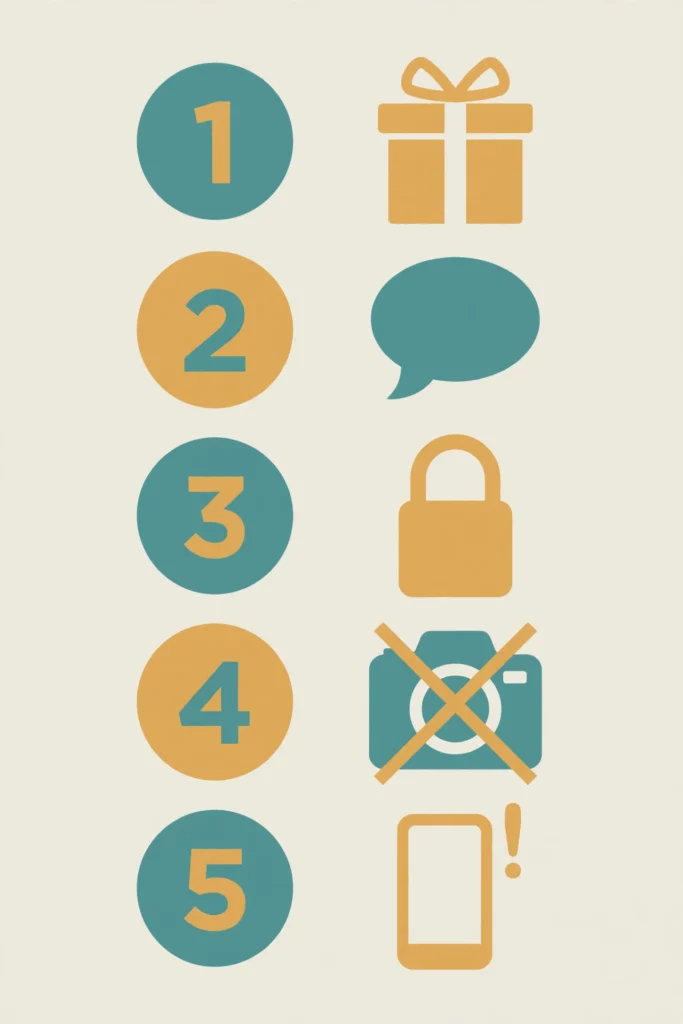
Use this checklist when you review your child’s online life. It covers the main signs and the main actions in one place.
- Watch for a pattern, not one message alone.
- Treat secrecy, gifts, flattery, and private chat pressure as red flags.
- Keep new online friends in public or group spaces until a parent knows who they are.
- Stay calm, save evidence, block the account, and report it.
- Use NCMEC CyberTipline or local law enforcement when a concern is serious.
- Review privacy settings with your child each month.
- Promise safety first, so your child will tell you about the next problem too.
Final verdict: What to do this week
Start this week with three simple steps. First, sit with your child and review friend lists and privacy settings on the main apps. Second, agree on a clear rule for new online friends and secret chats. Third, tell your child that they can come to you about any contact, without fear of losing a device for telling the truth.
These steps will not remove every risk, but they will make danger easier to spot and easier to report. A calm parent, a clear plan, and regular check-ins give your child real protection. If you see a warning sign, act early, save evidence, and get support from the platform, NCMEC, Stop It Now!, Thorn resources, or local law enforcement as needed.
Frequently Asked Questions
Use the FAQ block below for short answers to common parent questions.
What is the first warning sign of online grooming?
Look for a pattern, not one message. Sudden secrecy, special praise, gifts, and pressure to move to a private app are strong early signs. Act early and talk with your child.
Should I take my child’s phone away if I see a warning sign?
No, not as a first step. Taking a device can stop your child from telling you about the next problem. Stay calm, save evidence, block the account, and agree on safer rules together.
What if my child says the online friend is just a friend?
Stay calm and ask open questions. Ask how they met, what they talk about, and whether anyone asked for secrecy. Keep new contacts in group or public spaces until you know who they are.
Where should I report a worrying online contact?
Report the account in the app first. For a serious concern, use NCMEC CyberTipline or contact local law enforcement. Save screenshots, usernames, and links before you block the account.
How can I help my child feel safe telling me?
Promise safety first. Tell your child they will not lose a device for telling the truth. Praise honest reports, stay calm, and handle the problem together.