


Last updated: September 2026
- What Is uMobix?
- How Does uMobix Work?
- uMobix Compatibility
- uMobix Features
- Call logs and contact list
- Text and messaging app activity
- Social media monitoring
- Media files
- Browsing habits
- Remote access and app controls
- GPS location tracking
- Keystroke logging
- How Much Does uMobix Cost?
- Is uMobix Legit?
- How to Set Up uMobix
- Final Thoughts
- FAQs
uMobix is a phone monitoring app built for parents supervising a minor’s device or businesses managing company-owned phones. Before you install it on any device, it’s worth understanding exactly what it does, what it costs, and where the legal line sits.
A quick note on legality: installing uMobix, or any monitoring app, on an adult’s personal device without their knowledge and consent is illegal in most places. It’s designed for monitoring a minor child you’re legally responsible for, or a device your company owns — not for secretly monitoring a partner or another adult.
What Is uMobix?
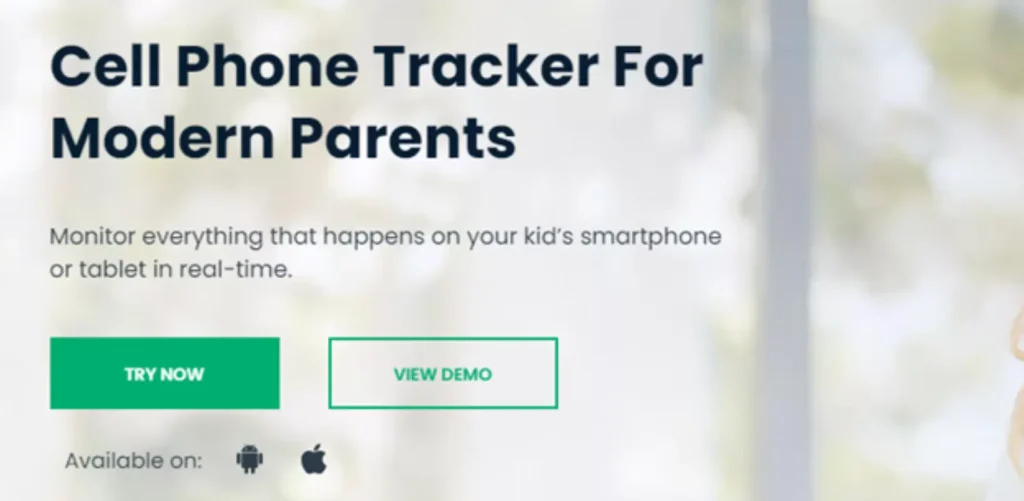
uMobix is a monitoring app built for parents who want visibility into a child’s phone activity, or businesses tracking usage on company-issued devices. It gives you a dashboard showing calls, messages, app activity, and location from the monitored device.
Once it’s set up, you view everything from the uMobix dashboard on your own computer or phone, without needing to keep picking up the monitored device.
How Does uMobix Work?
uMobix runs in the background and syncs activity to your dashboard in near real time. If the monitored phone gets a call or message, it shows up on your dashboard shortly after.
You don’t need to stay logged in constantly. uMobix logs activity in the background and makes it available whenever you check the dashboard.
uMobix Compatibility
uMobix works on both Android and iOS without requiring you to jailbreak the device, which reduces the risk of breaking the phone during setup.
On Android, setup requires brief physical access to the device to install the app directly. On iOS, uMobix instead syncs through the device’s iCloud account.
Important: using someone’s iCloud credentials to monitor their device without their knowledge is a separate legal problem on top of the monitoring itself — unauthorized access to someone’s account can violate computer-crime laws even independent of the monitoring question. Only use this method on your own child’s account, with a company-owned Apple ID you control, or with the device owner’s explicit knowledge.
uMobix Features
Call logs and contact list
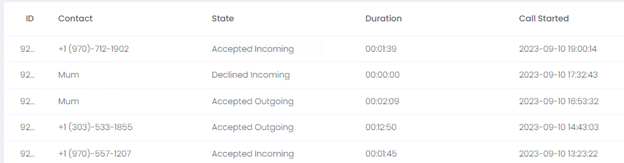
uMobix shows incoming, outgoing, missed, and deleted calls, including duration and timestamps. The contact list view shows names, numbers, and last-interaction details, including deleted contacts.
Text and messaging app activity
The dashboard shows text messages with timestamps, including deleted messages, plus activity from apps like WhatsApp. This is one of the most useful features for parents watching for signs of bullying or contact from strangers.

Social media monitoring
uMobix covers activity on Facebook, Instagram, TikTok, Snapchat, and Tinder, showing content and interactions on each platform where supported. It also lets you block inappropriate content directly.
Media files
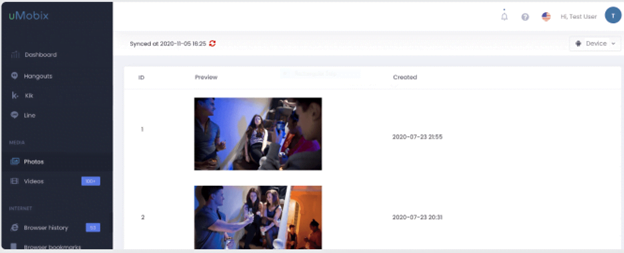
You can view photos and videos stored on the monitored device through the dashboard’s gallery view, useful for spotting inappropriate content a child may be sharing or receiving.
Browsing habits
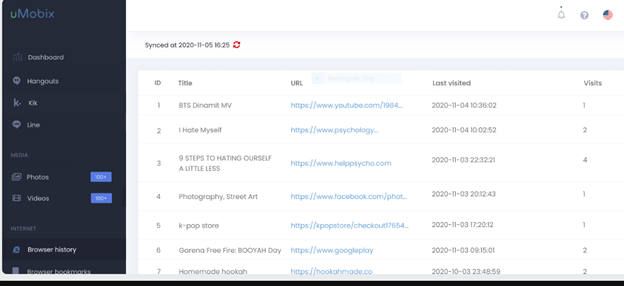
uMobix shows browser search history, visited pages, and bookmarks across the device’s browsers, which is useful for confirming a child isn’t accessing content outside agreed boundaries.
Remote access and app controls
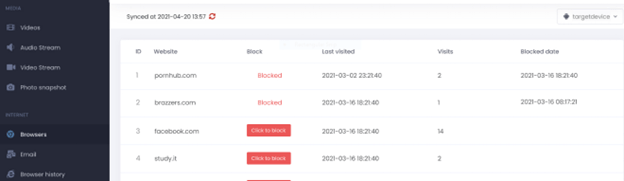
This is where uMobix is most useful for active parenting rather than passive monitoring: you can remove unwanted apps, block specific apps or sites, restrict WiFi remotely, and block specific contacts from reaching your child’s phone.
GPS location tracking
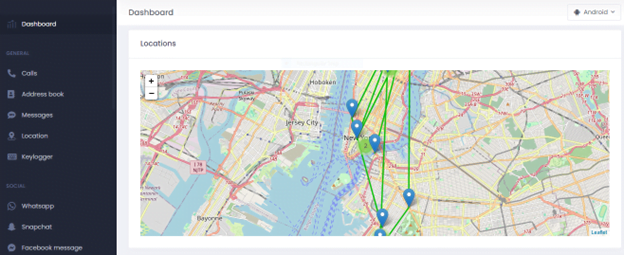
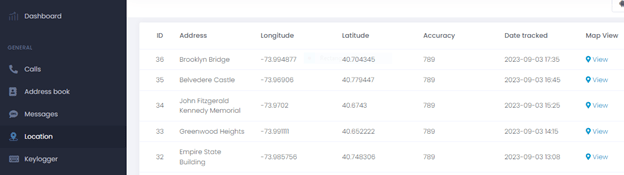
Real-time location tracking is one of uMobix’s stronger features, useful both for everyday peace of mind and for recovering a lost or stolen phone.
Keystroke logging
uMobix includes a keylogger that records keystrokes on the monitored device. This is the single most invasive feature on this list, since it can capture anything typed, including passwords to unrelated personal accounts.
We’d recommend thinking carefully about whether you actually need this specific feature turned on, particularly for a teenager who deserves some degree of privacy even while being monitored.
How Much Does uMobix Cost?
uMobix offers monthly, quarterly, and annual plans, with the monthly plan priced around $49.99 and significant per-month savings on longer commitments. All tiers include the same feature set — the only difference is billing length.
There’s no free trial, so you’re committing to at least one billing cycle before you can properly evaluate it.
Is uMobix Legit?
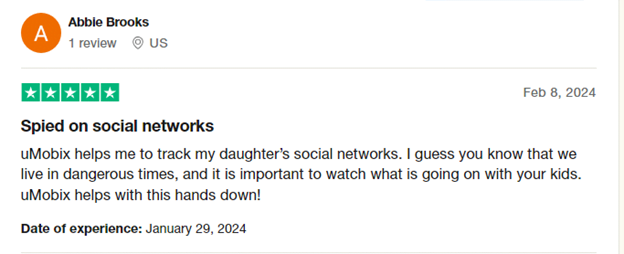
uMobix holds a 3.8 rating on Trustpilot, with the majority of reviewers giving it 5 stars and a smaller share giving it 1 star. Positive reviews consistently point to the breadth of monitoring features and responsive customer support during setup.
The company itself is a legitimate, long-running business — the legal risk with uMobix, as with any monitoring app, comes entirely from how and on whom it’s installed, not from the company’s legitimacy.
How to Set Up uMobix
Set-up differs by platform. On both, you’ll need to create an account and choose a subscription first.
- Create a uMobix account and select the device type: Android or iOS.
- Choose a subscription plan. You’ll receive login credentials and a registration code by email.
- For Android: install directly on the device using the registration code, with brief physical access required.
- For iOS: sync using the device’s Apple ID credentials — only use an account you’re authorized to access.
- Log into your uMobix dashboard to start viewing activity.
Final Thoughts
uMobix is a feature-rich monitoring tool with strong reviews and a broad feature set covering calls, messages, browsing, location, and social media. For parents monitoring a minor’s device, or businesses managing company phones with proper disclosure, it’s a legitimate and capable option.
The keylogger feature in particular carries real ethical weight — use it deliberately, not by default, and always within the legal boundaries covered above.
FAQs
Is uMobix legal to use?
It’s legal to use on a minor child you’re responsible for or on a company-owned device with proper disclosure. Using it on another adult’s personal device without their consent is illegal in most places.
Is uMobix legit as a company?
Yes, uMobix is a long-running, established company with a 3.8 Trustpilot rating. The legal risk with any monitoring app comes from how and on whom it’s used, not from the company’s legitimacy.
How does uMobix work?
uMobix syncs activity from the monitored device — calls, texts, location, app usage — to a dashboard you access from your own computer or phone.
How much does a uMobix subscription cost?
Pricing starts around $49.99 for a monthly plan, with lower effective monthly rates on quarterly and annual plans. There’s no free trial.
Does uMobix have a keylogger?
Yes, and it’s the most invasive feature available — it can capture anything typed on the device, including passwords to unrelated accounts. Consider carefully whether you need it enabled.






[…] and Legal Guide EyeZy Review 2025 – Choosing EyeZy as the Best Parental Monitoring Tool uMobix Review 2026: Features, Pricing, and Legal […]
[…] and Legal Guide EyeZy Review 2026 – Choosing EyeZy as the Best Parental Monitoring Tool uMobix Review 2026: Features, Pricing, and Legal […]