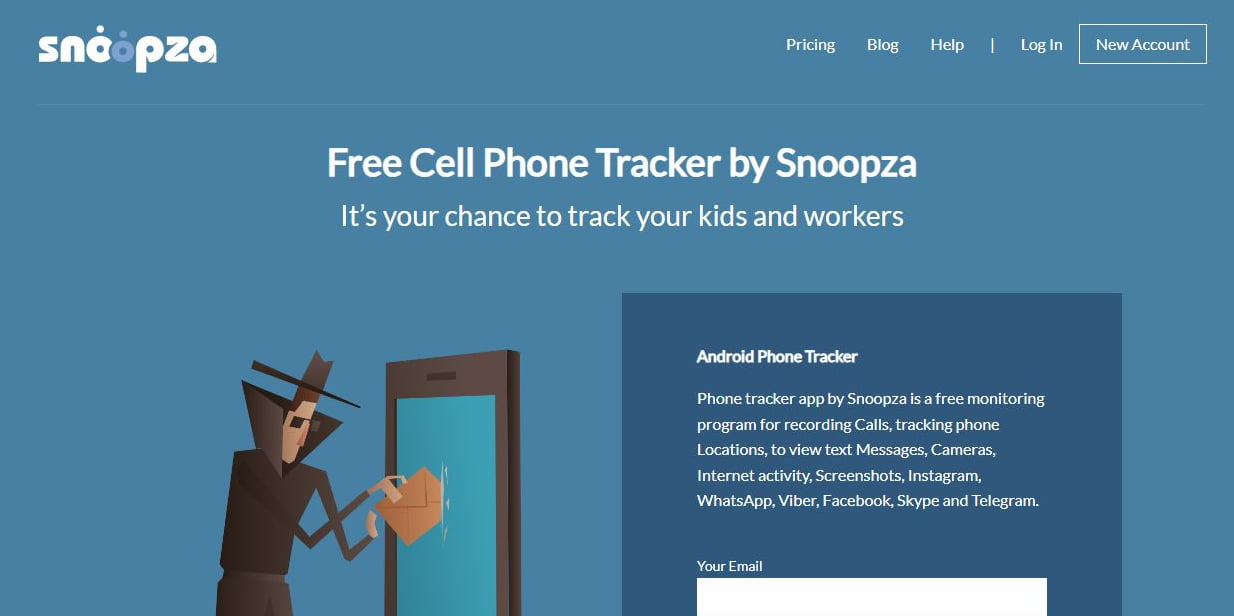
If you are a parent or employer looking for a monitoring tool, you might face the obstacle of not knowing where to start. But what if I told you that there is a free monitoring tool for Android with loads of features? In this Snoopza review, we dive in-depth into this monitoring tool to understand how it works and determine if
- 2026 Update: Snoopza Checked Against the Official Site
- Snoopza Monitoring Tool
- How Does Snoopza Work?
- · Call monitoring
- · SMS Monitoring
- · Social Media Monitoring
- · Camera tracking feature
- · Browser history tracking
- · Detects SIM card replacement
- How to Install Snoopza
- Is Snoopza Available On iPhone?
- Is Snoopza free?
- Snoopza Review Final Thoughts
Last updated: October 2026
Disclosure: This review may contain affiliate links. If you buy through them, we may earn a commission at no extra cost to you.
How we evaluate spy apps: We check each app’s features against the vendor’s official documentation and confirm pricing on the vendor’s official website. We do not claim hands-on testing we have not done. Last checked: October 2026.
2026 Update: Snoopza Checked Against the Official Site
We rechecked Snoopza on its official website in October 2026. The service is still active and still Android only, but it now requires Android 7 or newer, not Android 4 as older text below says. The free account still exists, and the official site says it shows real-time data from the last 30 days, including GPS location, call logs, SMS and web history, with no credit card needed. Paid plans are now sold under one name, Premium, from $8.33 per month on longer plans, instead of the old Standard and Professional packages described further down.
The current official feature list includes call recording, GPS tracking, SMS, screenshots, a keylogger, and monitoring for WhatsApp, Telegram, Facebook Messenger and Viber. Snapchat monitoring, mentioned in the older text below, is not on the current official list, so do not count on it. Snoopza’s own site limits lawful use to your own devices and your minor children’s phones. Before installing any tracker, read our legality guide and how to use spy apps safely, and compare the best parental control apps and our EyeZy review.
it is the right pick for you.Snoopza is a spy app and monitoring tool. These tools can be helpful to parents wanting to monitor their kids’ phone activities. Employers might also want to install spy apps on work phones to monitor employee productivity.
If you are not using Snoopza as a monitoring tool, you can also use it as a tracker that helps locate a misplaced or stolen phone.
So, what is Snoopza?
Snoopza Monitoring Tool
The Snoopza app is a monitoring tool that allows users to obtain remote access to a phone’s data. The app works on any Android device, with this versatility making it one of the most popular spy apps in the market.
The Snoopza phone monitoring app has extensive coverage, as once you install it on the target device, you can access calls, SMS, MMS, and files. While it gives you much information from the target device, the app is easy to use and operates without detection.
This app has not solely been created for spying. Instead, it can also map the current location and access the location history, making it a must-have for parents looking to monitor the whereabouts of their underage kids.
How Does Snoopza Work?
To understand how the Snoopza monitoring tool works, we need to look at the features and how they consolidate to deliver one of the most reliable spy apps you can find online.
The features of the Snoopza app include the following:
· Call monitoring
Snoopza allows you to track and record calls made to and from the target device. Have you ever been concerned about who your kids are talking to on the phone and the kind of conversations they are having? Snoopza gives you the solution by allowing you to track and record phone conversations.
The Snoopza call monitoring feature will record all phone conversations. This allows you to listen in on these conversations wherever you are and at your ideal time.
Furthermore, the app will also show you the duration of the calls and distinguish between incoming, outgoing, and missed calls. The calls also come with a timestamp indicating the time and the date they were made.
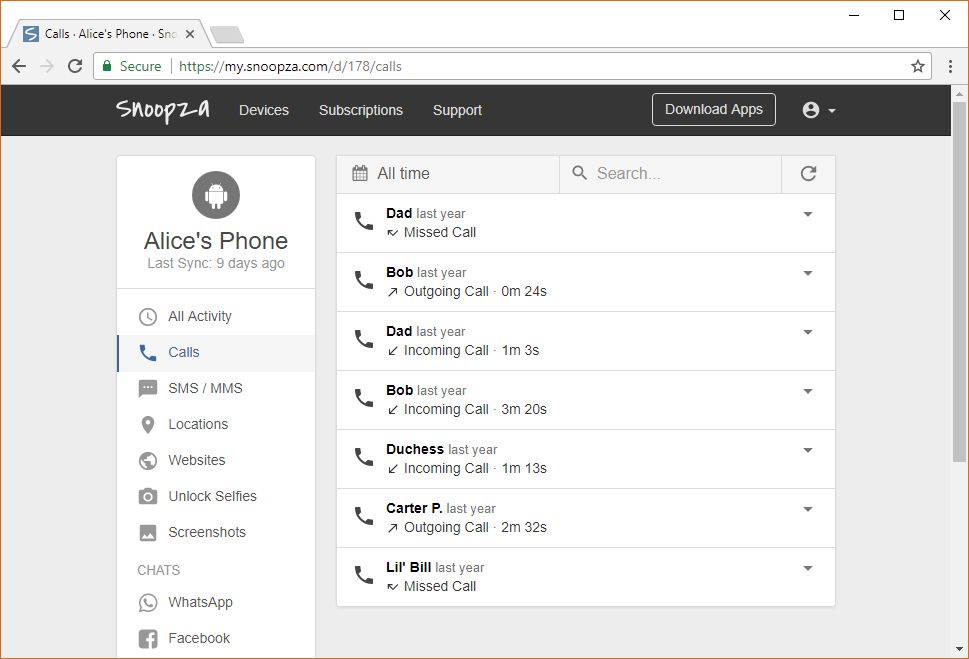
If you have enabled the geolocation function, you can also view the location where these calls were made.
· SMS Monitoring
If your kid spends too much time on the phone, you will constantly worry about who they are talking to. The same concern is seen with employers who want to protect their business secrets.
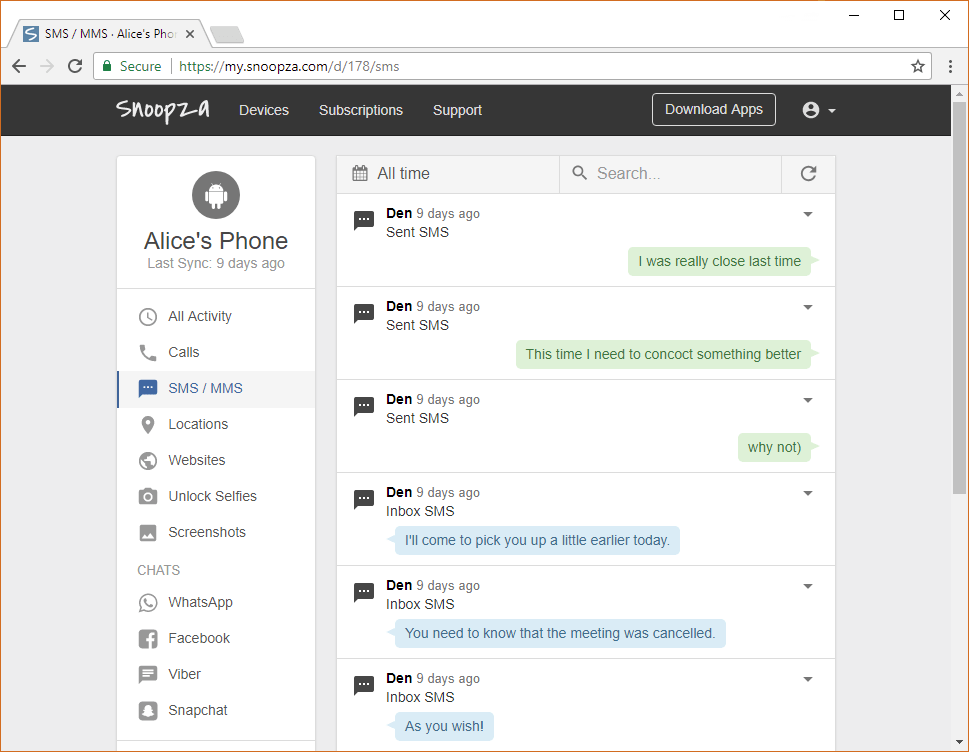
Snoopza ranks among the top SMS monitoring tools for Android. This app ensures you can monitor the information you receive or send, including MMS. The SMS feature clearly outlines who the target device was communicating with and their messages.
· Social Media Monitoring
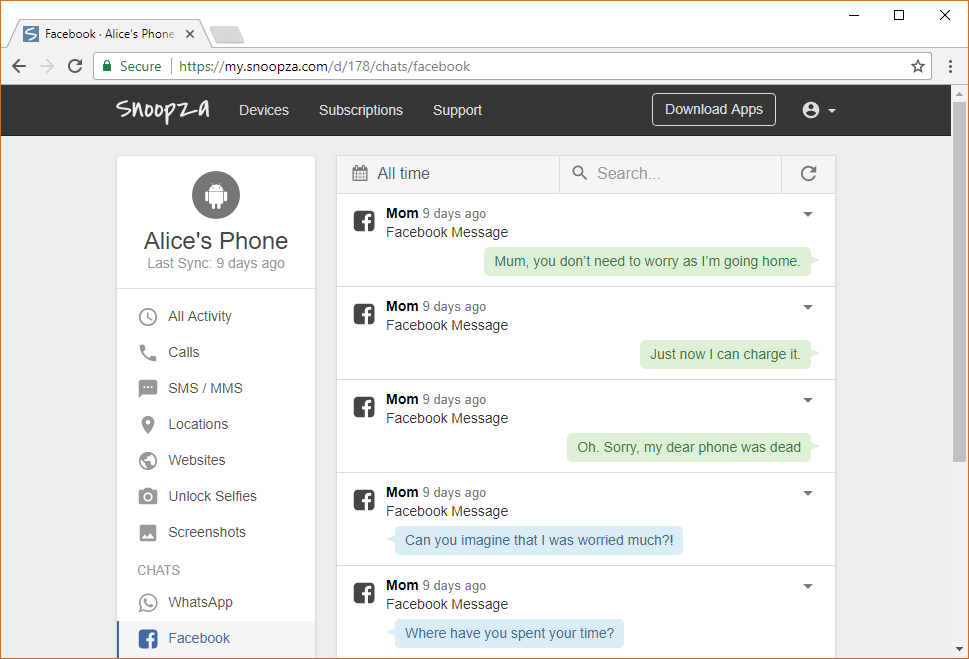
Social media platforms are used by billions of people globally, and chances are that your child is on one of these platforms. As you cannot control what your child does on social media all the time, you can choose to monitor their activity and take measures where necessary.
The Snoopza Android monitoring app allows you to monitor your kids’ or employees’ activities on social media platforms such as WhatsApp, Facebook, and Snapchat.
On WhatsApp, Snoopza will record calls and text messages. It will also access the sent and received audio, video, files, photos, and pictures. It also allows you to view people’s numbers and contacts on WhatsApp.
Snoopza will allow you to monitor chat conversations on Facebook and the date and time these chats took place. It also monitors video, audio, images, and other files sent through Facebook Messenger.
This monitoring tool also allows you to spy on Snapchat messages, save SMS, take camera shots, and take screenshots.
· Camera tracking feature

One unique feature of Snoopza is the camera tracking feature that takes a picture of the person using the phone whenever they swipe the screen. The camera tracking feature is hidden and operates discreetly.
· Browser history tracking
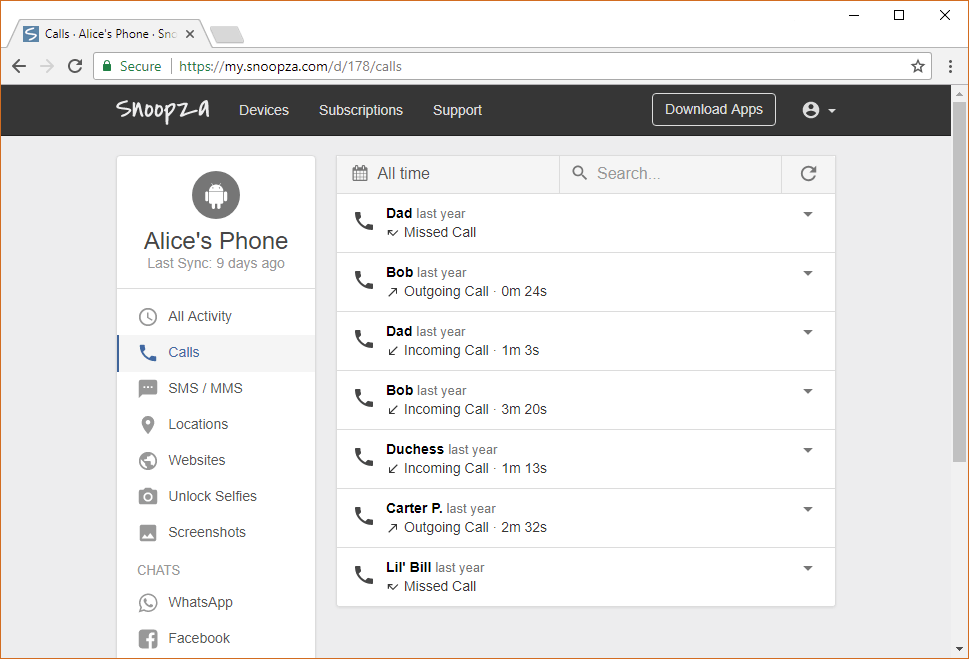
This monitoring app can also save the websites the target device has visited. It will save the activity on your browser and include timestamps to show you when a particular website was visited.
· Detects SIM card replacement
Snoopza has a feature that will detect when a person changes the SIM card on the target device. It lets you keep tracking the target device even after the SIM card is removed. When the SIM card is taken out, Snoopza will send information about this replacement to you.
This information will be sent to the app’s user panel. This feature allows you to find a missing target phone or tablet even after those who stole it attempt to hide the device by removing the SIM card.
How to Install Snoopza
To enjoy the wide range of features on the Snoopza app, you must complete a Snoopza download.
- Create an account
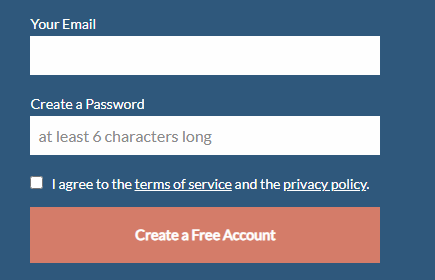
The first step is to create an account on the Snoopza website. You can create an account for free by submitting your email address.
- Install Snoopza on the target phone
The second step is to install the Snoopza app on the target phone. To do this, you will need physical access to the target phone. You will then install the app using the instructions provided on your account.
- Access the Snoopza dashboard
After installing the app on the target phone, you can access all the activity on that phone from your dashboard on the Snoopza app.
Is Snoopza Available On iPhone?
A Snoopza iPhone monitoring app is not available. Instead, the app only works on Android phones of versions 4 or higher.
Is Snoopza free?
You can create a free account on the Snoopza monitoring app. The free account is the basic package that allows you to track calls, manage SMS, and track internet history and location.
Snoopza comes with paid versions: Standard and Professional. The standard version includes social media monitoring, a camera tracker, and SIM card removal detection.
On the other hand, the Professional package comes with all features and allows you to monitor three devices on a single account.
Snoopza Review Final Thoughts
The Snoopza monitoring app can operate without detection. The app will remain hidden on the target device to ensure the target does not know they are under surveillance.
When using spy apps such as Snoopza, ensure it is within the legal scope. For parents, this app should be used to monitor underage kids. For employers, monitoring is only permissible on work devices unless otherwise stipulated under different circumstances.