Quick answer: Sextortion prevention teens need starts with one rule: do not pay. If a stranger threatens to share a private photo or video, stop contact, save the evidence, block the account, and report it. Tell a trusted adult right away, and get help from the platform, NCMEC CyberTipline, and local law enforcement if needed.
- What is sextortion, in simple terms?
- What are the red flags of a sextortion scam?
- How is a sextortion scam different from a real contact?
- What should your teen do in the first hour?
- What should you NOT do after a threat?
- How do you report sextortion step by step?
- How do you lock down accounts and privacy?
- How do you support your teen afterwards?
- Key takeaways
- Final verdict: What to do this week
- Frequently Asked Questions
Last updated: November 2026
A sextortion threat can arrive in seconds, and it can feel terrifying for a teen and for a parent. This guide gives you a calm, clear plan for prevention, for the first hour after a threat, and for reporting. You do not need to be a tech expert to protect your child.
This guide explains sextortion in plain language. It covers red flags, safe replies, evidence, reporting, privacy settings, and support. Read it with your teen when you can, and use it alongside our complete family online safety guide.
What is sextortion, in simple terms?
Sextortion is a scam where a person threatens to share a private photo or video unless the victim pays money or sends more images. The threat is the scam. The person often does not have what they claim, but the fear alone can push a teen to pay.
Scammers use fake accounts and stolen photos to look real. They may pose as a teen, a new friend, or a romantic interest. Their goal is fast money and control, not a real relationship. Once a teen replies, the scammer often moves fast to a threat.
How sextortion scams usually start
Contact often starts on social media, a chat app, a gaming platform, or a dating style app. The scammer may flatter your teen, ask to move to a private chat, and then ask for a photo or video. Some scammers send a fake image first to build false trust.
After an image is shared, the tone changes fast. The scammer may demand money, gift cards, or cryptocurrency, and set a short deadline. They may claim they have contact lists and will send the image to friends, family, or a school. That pressure is designed to stop your teen from thinking clearly.
Why teens may feel trapped
Teens may feel shame, fear, and panic after a threat. They may worry about punishment, embarrassment, or losing a device. Those feelings can make a teen hide the problem instead of asking for help.
Tell your teen early that a scam is never their fault. A criminal chose to threaten them. Your first job is safety and support, not blame or a lecture. A calm adult response makes reporting much more likely.
What are the red flags of a sextortion scam?
Watch for a new online friend who moves fast to private chats, asks for intimate photos, and then makes a threat with a short payment deadline. Speed, secrecy, and pressure are the core red flags. A real friend does not threaten you for money.
Other signs include a profile with few posts, stolen photos, and excuses for video calls. The person may refuse to meet in a group chat or show their face live. They may also know details about your teen’s school or friends, and use that knowledge as a threat.
| Red flag | What it can look like | Why it matters |
|---|---|---|
| Fast move to a private chat | Pressure to leave a game or group chat | Private chats hide the scammer from other adults |
| Request for intimate photos | Flattery, then a request for a photo or video | The image becomes the tool for blackmail |
| Threat with a deadline | Pay in hours or the image will be shared | Deadlines create panic and fast payment |
| Demand for gift cards or crypto | Payment that is hard to trace or reverse | Hard to trace payments help the scammer hide |
| Claims of having contact lists | Threats to send the image to friends or school | Contact threats raise fear and shame |
A new friend who moves too fast
A scammer often builds trust in hours, not weeks. They may call your teen special, send many compliments, and ask personal questions. They may push to leave a public game or group chat for a private app where no one else can see the messages.
Teach your teen a simple rule. New online friends stay in public or group spaces until a parent knows who they are. If a new friend asks for secrecy, that is a reason to pause and tell an adult.
Pressure, deadlines, and payment demands
A threat with a countdown is a scam tactic. The scammer wants your teen to pay before they can think or ask for help. They may send fake proof, such as a blurred image or a list of names, to make the threat feel real.
Do not let a deadline control your response. Paying does not prove the scammer will delete anything. In many cases, payment leads to more demands. Stop, save evidence, and report instead.
How is a sextortion scam different from a real contact?
A real contact does not demand money, threaten to share private images, or set a payment deadline. A scam uses threats and secrecy to force fast payment. If a message includes a threat and a payment demand, treat it as a scam and stop contact.
A real friend may disagree with your teen, but they do not use blackmail. A real school or platform will not ask for gift cards to remove a post. If you are unsure, pause the conversation and check with a trusted adult before you reply.
Questions to ask before you reply
Ask who this person is and how you met them. Ask whether they asked for secrecy, photos, or money. Ask whether the threat came with a deadline. If the answer to any of these is yes, do not reply alone.
Save the message first, then block the account. A screenshot can help a platform and an investigator later. Do not delete the thread in anger, and do not send more photos to prove anything.
What should your teen do in the first hour?
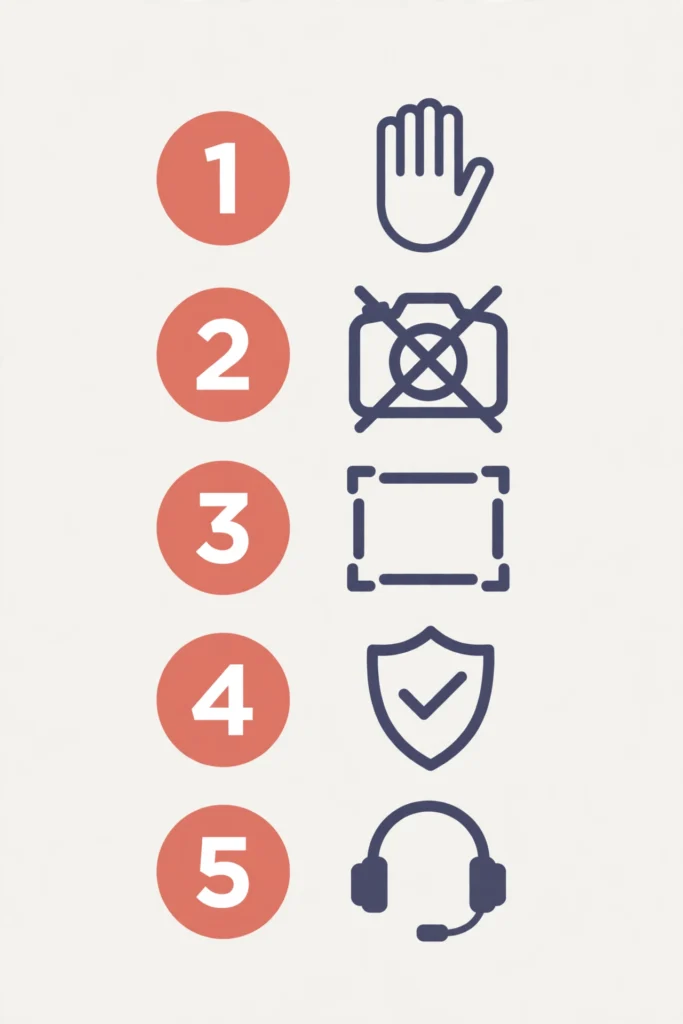
In the first hour, stop contact, do not pay, save screenshots with usernames and URLs, block the account, and tell a trusted adult. Then report the account on the platform and, for a serious threat, use NCMEC CyberTipline or local law enforcement.
Stay calm even if the threat feels urgent. Scammers rely on panic. A short pause gives your teen time to get help and gives you time to save evidence. Tell your teen that you will handle this together, and that they will not be punished for telling the truth.
| Step | What to do | Why it helps |
|---|---|---|
| 1. Stop | Stop replying and do not pay | Stopping cuts off pressure and new demands |
| 2. Save | Take screenshots and note usernames and URLs | Evidence supports a clear report |
| 3. Block | Block the account on every app | Blocking stops direct threats fast |
| 4. Tell | Tell a parent or trusted adult right away | An adult can help with reports and support |
| 5. Report | Report on the platform and outside the app | Reports can remove accounts and help investigators |
| 6. Support | Check in, review settings, and get support | Support prevents fear and repeat contact |
How to save evidence safely
Take screenshots that show the username, the date, the threat, and the payment demand. Note the app, the profile link, and any phone number or payment address. Store copies in a safe place that only a parent or trusted adult can open.
Do not share screenshots publicly, and do not send them to friends for advice. Share them only with the platform, a school, or an authority that needs them. That protects your teen’s privacy and keeps the evidence clear.
What should you NOT do after a threat?
Do not pay, do not send more photos, do not keep chatting to argue, and do not delete all evidence. Paying never guarantees deletion, and more contact gives the scammer more chances to pressure your teen. Stop, save, block, and report.
Do not try to track down the scammer alone, and do not let your teen handle threats in secret. Avoid public posts about the case, since they can spread the image further. Keep the circle small: a parent, a trusted adult, the platform, and the authorities.
Why paying makes things worse
Payment tells the scammer that threats work. It can lead to larger demands, new threats, and more accounts run by the same person. The FBI and Stop Sextortion resources stress the same point: do not pay, and report the threat instead.
If money was already sent, do not hide that fact. Note the payment method, the amount, and the recipient details. A bank or payment app may be able to help, and a report can still be made. Support matters more than blame.
How do you report sextortion step by step?
Report the account in the app first, then use NCMEC CyberTipline for a serious case, and contact local law enforcement if there is a threat to safety. Keep your evidence ready, and write down the date and time of each report.
Reporting helps in two ways. It can remove the account, and it creates a record that investigators can use. You may not get full details back, but your report can still protect other teens from the same account.
| Reporting channel | When to use it | What to give them |
|---|---|---|
| Platform report tool | First, for any threat on that app | Username, screenshots, and the threat message |
| NCMEC CyberTipline | For a serious case involving a minor | App, username, dates, and saved evidence |
| Local law enforcement | When safety is at risk or threats continue | Evidence log, payment details, and report numbers |
| FBI Internet Crime Complaint Center | To add a federal report on an online crime | Timeline, usernames, URLs, and payment details |
| School or trusted adult | When the threat affects school life | A short summary and the platform report details |
What to say in a report
Keep the report short and factual. State the app, the username, the date, the threat, and the payment demand. Attach screenshots if the form allows them. Do not add guesses about who the scammer is.
After you report, block any new accounts from the same person. Teach your teen to report repeat contact fast. If threats continue, tell law enforcement again and keep a log of each new message.
How do you lock down accounts and privacy?
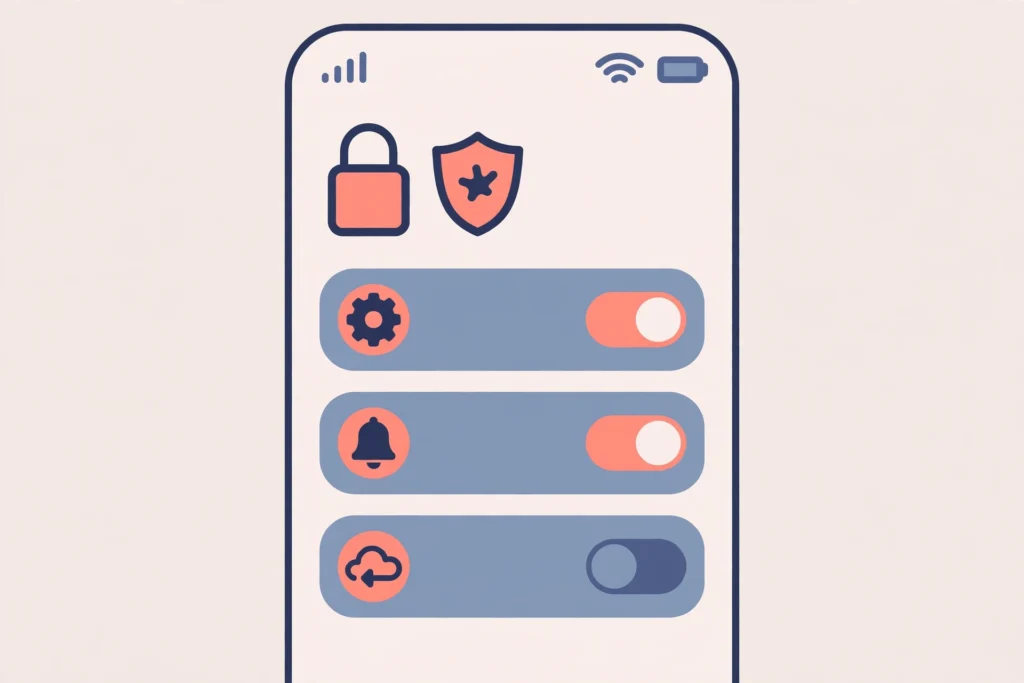
Set accounts to private, review friend and follower lists, turn off message requests from strangers, and limit who can see photos and stories. Check each app your teen uses, not just one. Strong passwords and two factor checks add another layer.
Review settings with your teen, not in secret. Explain each change in plain words. Private accounts reduce stranger contact, and friend list checks remove unknown accounts before they can start a private chat.
A simple monthly privacy check
Once a month, sit with your teen and review new followers, new apps, and new group chats. Remove unknown contacts, and set direct messages to friends only where the app allows it. The online gaming safety guide for kids can help you set friend rules and private chat limits. The Discord safety guide for teens can help you review servers, direct messages, and friend requests on that platform.
Also check photo permissions and location sharing. Turn off location tags on photos, and talk about what should never be shared online. Personal photos, school names, and daily routines can help a scammer build a false profile.
Rules that prevent most scams
Agree on three family rules. Never share intimate photos with anyone online, even a trusted friend. Never move a new friend to a private chat without telling a parent. Never send money or gift cards to an online contact.
Role play a threat once, in a calm way. Ask your teen what they would do if a stranger demanded money. Praise the safe answer: stop, save, block, tell an adult. Practice makes a real threat less shocking. The Roblox safety guide for kids and the Minecraft safety guide for kids can help you set chat and friend controls for popular games.
How do you support your teen afterwards?
Stay calm, listen without blame, and thank your teen for telling you. Reassure them that the scammer is responsible, not them. Then agree on next steps together, and check in again over the next days and weeks.
Watch for changes in sleep, mood, appetite, or school work. Some teens need extra support from a school counsellor or a trusted health professional. Stop Sextortion resources and NCMEC offer guidance for families, and a trusted adult at school can help with safety planning.
Talking about shame and fear
Shame grows in silence. Tell your teen that many teens face these scams, and that asking for help is a strong choice. Avoid repeated questions about the photo itself. Focus on safety, reporting, and the next step.
If your teen feels unsafe, contact local law enforcement or a trusted support service right away. Keep evidence safe, and keep your teen involved in decisions about school or platform reports when it is safe to do so. If pressure or bullying continues, our cyberbullying guide for parents can help you plan blocks, replies, and school support.
Key takeaways
Use this checklist when you talk with your teen about online safety. It covers prevention, the first hour, reporting, and support.
- Do not pay, no matter how urgent the threat feels.
- Stop contact, save evidence, block the account, and tell a trusted adult.
- Save screenshots, usernames, URLs, and payment demands before you block.
- Report on the platform, then use NCMEC CyberTipline or local law enforcement when needed.
- Keep accounts private and review friend lists with your teen each month.
- Agree on family rules for photos, private chats, and money requests.
- Promise safety first, so your teen will tell you about the next problem too.
Final verdict: What to do this week
Start this week with three simple steps. First, talk with your teen about sextortion in calm, plain words, and agree that they will never be punished for telling you. Second, set accounts to private and review friend lists together. Third, save this reporting plan somewhere easy to find, so panic does not decide the next step.
These steps will not remove every risk, but they will make a scam easier to spot and easier to report. If a threat arrives, remember the core plan: do not pay, stop contact, save evidence, block, report, and get support. Help is available through the platform, NCMEC CyberTipline, local law enforcement, and trusted adults at home and school.
Frequently Asked Questions
Use the FAQ block below for short answers to common parent questions.
What should my teen do first if they get a sextortion threat?
Do not pay. Stop contact right away. Save screenshots, usernames, and URLs. Block the account. Tell a trusted adult. Report the account on the platform, then use NCMEC CyberTipline or local law enforcement if needed.
Should we pay to stop the images being shared?
No. Paying never guarantees deletion. It can lead to more demands and more threats. Stop contact, save evidence, block the account, and report it instead.
What evidence should we save?
Save screenshots of the threat, the username, and the profile. Note the app, URLs, dates, and payment demands. Keep evidence private and share it only with the platform, NCMEC CyberTipline, or law enforcement.
Where should we report sextortion?
Report the account on the platform first. For a serious case, use NCMEC CyberTipline. Contact local law enforcement if safety is at risk or threats continue.
How can I support my teen after a sextortion scam?
Stay calm and do not blame your teen. Thank them for telling you. Listen, reassure them, and get support from a trusted adult or support service if needed.