Is your phone being tracked? It is a frightening thought, and the internet is full of lists that make every glitch sound like proof. This guide takes a calmer and more honest approach.
- A Safety Note Before You Investigate
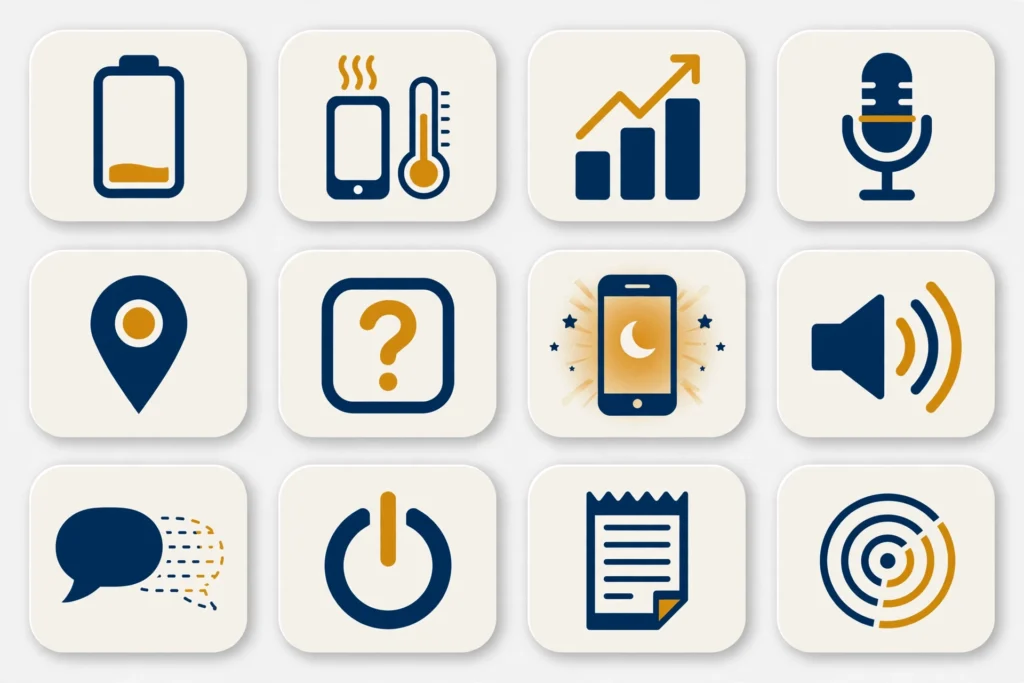
- The 12 Signs Your Phone Is Being Tracked
- How Phone Tracking Actually Works
- The Strongest Predictor: Physical Access
- Why Most Signs Are Usually Harmless
- A Closer Look at the Most Telling Signs
- Someone Had Physical Access to Your Unlocked Phone
- Unknown Apps With Powerful Permissions
- Location Services Running Nonstop
- Notifications That Vanish on Their Own
- What to Do Next: Your Action Plan
- How to Keep Tracking Software Off Your Phone
- Key Takeaways
- Frequently Asked Questions
Below are 12 signs your phone is being tracked, grounded in guidance from the FTC and the Coalition Against Stalkerware. Each sign comes with its innocent explanation, what would make it genuinely suspicious, and the exact check that settles it. The checks are the point, so do not stop at the symptom.
This guide covers both Android and iPhone. If you use Android and want the full step-by-step removal walkthrough, see our guide on how to detect spyware on Android. iPhone owners can follow our iPhone spyware detection guide instead.
Quick answer: The 12 signs your phone is being tracked include unexpected physical access to your phone, someone knowing things you never shared, fast battery drain, unexplained data use, unknown apps, the screen waking on its own, strange call sounds, disappearing notifications, trouble powering off, mystery charges, new apps you did not install, and location services running while idle. Most have innocent causes. The checks in this guide settle each one.
Last updated: October 2026
A Safety Note Before You Investigate
This guide is for checking your own phone. Only investigate a device you own or have clear permission to check, such as your child’s. Checking someone else’s phone without consent can break trust and, in many places, break the law.
Removing tracking software can alert the person who installed it. If you are in an abusive or controlling relationship, do not delete anything yet. Reach out to a local support organization or the Coalition Against Stalkerware first, and plan for your safety before you act.
The 12 Signs Your Phone Is Being Tracked
Here is the full list. Read each row across: the sign, the innocent cause, what makes it suspicious, and the check that settles it. If you are new to the topic, our guide on what spyware is and how it works explains the software behind these signs.
A quick note on honesty: almost every sign below is usually harmless. Tracking is the exception, not the rule. The middle columns tell you when to take a sign seriously and when to relax.
| # | The sign | Its innocent cause | What makes it suspicious | The check that settles it |
|---|---|---|---|---|
| 1 | Someone had physical access to your unlocked phone | People borrow phones for innocent reasons all the time | It happened without a clear reason, or the person was secretive about it | List honestly who had access and when, then audit your apps and permissions |
| 2 | Someone knows things from private conversations or places you never shared | Lucky guesses, shared accounts, or things you mentioned and forgot | Details they could only know from your messages or live location | Change passwords from a clean device and check location sharing settings |
| 3 | Battery drains fast or the phone feels hot while idle | Old battery, poor signal, hot weather, or a buggy update | An unknown app tops battery usage while the phone idles | Android: Settings, then Battery, then Battery usage. iPhone: Settings, then Battery |
| 4 | Unexplained mobile data usage | Video autoplay, cloud backups, hotspot use, or app updates | Per-app data shows uploads from an app you do not recognize | Check per-app data usage and investigate any unknown uploader |
| 5 | Unknown apps, or apps with wider permissions than their job needs | Preinstalled apps you never noticed | Generic names, or Accessibility or admin rights you never granted | Audit the app list and Permission Manager (Android) or Privacy and Security (iPhone) |
| 6 | Screen lighting up or waking on its own | Notifications, always-on display, or a sensitive power button | It wakes repeatedly with no notification showing | Turn off always-on display and check notification history for hidden alerts |
| 7 | Strange sounds, echoes, or interference during calls | Bad signal, speaker issues, or VoIP glitches | It happens on every call with strong signal, in a repeating pattern | Test on speaker versus earpiece and Wi-Fi versus mobile; check call-forwarding settings |
| 8 | Notifications disappearing or marked as read that you never opened | Another device on the same account, or a syncing glitch | Messages vanish right after arriving, again and again | Check which devices are signed into your accounts and review notification access |
| 9 | Trouble powering off or restarting | A frozen app or a system bug | The phone resists shutdown every time or restarts on its own at odd hours | Try a forced restart; if it persists, back up and consider a factory reset |
| 10 | Unexplained charges on your phone bill | Forgotten subscriptions or roaming fees | Recurring premium SMS charges you never authorized | Review your carrier bill line by line and block premium SMS with your carrier |
| 11 | New apps you did not install | Family sharing, preinstalled updates, or an accidental tap | The app has tracking-like permissions or a generic disguise name | Check the install date against who had your phone, then uninstall it |
| 12 | Location services active when the phone is idle | Weather, maps, or photo apps using location | The location arrow stays on for hours with no app open | Android: Settings, then Privacy, then Permission Manager, then Location. iPhone: Settings, then Privacy and Security, then Location Services |

How Phone Tracking Actually Works
It helps to know what you are looking for. Consumer tracking software, often called stalkerware, is a regular app with extraordinary permissions. It logs your location, copies your messages, and records your calls, then uploads everything to an account the installer controls.
Stalkerware needs three things: physical access to install it, broad permissions to function, and an internet connection to send data home. Take away any one of those and it stops working. That is why the checks in this guide focus on access, apps, and permissions.
Not all tracking is an app, though. Someone who knows your Apple ID or Google account password can follow your location through Find My or Find My Device without touching your phone. Shared family accounts and old login sessions cause the same effect. Checking your account’s signed-in devices matters as much as checking your apps.
The Strongest Predictor: Physical Access
If you take one idea from this guide, take this one. Guidance from the FTC and the Coalition Against Stalkerware agrees on it: consumer tracking software almost always needs someone to handle your unlocked phone.
Remote hacking of a fully updated phone is rare and expensive. A borrowed phone for five minutes is common and free. That is why sign 1 tops the list, and why a phone that never leaves your sight is very unlikely to be tracked.
Think back over the last few months. Did anyone insist on borrowing your phone? Did you leave it unlocked at home, at work, or at a repair shop? Your honest answer to these questions matters more than any symptom on the list.
Why Most Signs Are Usually Harmless
Phones are complicated, and complicated things glitch. Batteries age, signals drop, updates introduce bugs, and apps misbehave. Almost every sign in the table above is, most of the time, just a phone being a phone.
This matters because panic leads to bad decisions. People factory reset phones over a dying battery, or accuse partners over a shared photo album. Run the checks first. Evidence beats anxiety every time.
The pattern to watch for is clustering. One symptom is noise. Three or four together, especially an unknown app plus strange battery behavior plus someone who had access, is a signal worth acting on.
A Closer Look at the Most Telling Signs
Four signs from the table deserve extra attention. When these show up, the chance of real tracking is meaningfully higher than with the vaguer symptoms.
Someone Had Physical Access to Your Unlocked Phone
This is the gatekeeper sign. Without physical access, installing consumer stalkerware is extremely difficult. With it, installation takes minutes and leaves almost no trace.
Be honest with yourself about the last few months. A partner who insisted on fixing your phone, a phone left at a repair shop without a lock, or a device that came back with changed settings are all worth noting. If no one had access, you can relax considerably.
Unknown Apps With Powerful Permissions
An unknown app is interesting. An unknown app with Accessibility access or device administrator rights is alarming. Those two permissions let software read your screen and resist uninstallation, which is exactly what tracking apps need.
On Android, check Settings, then Accessibility, and Settings, then Security, then Device admin apps. On iPhone, look for unknown configuration profiles and apps with full location and notification access. Anything you cannot explain should be removed.
Location Services Running Nonstop
The location arrow that never goes away is one of the more reliable clues. Maps and weather apps use location in bursts, not continuously. An app pinning your location for hours is doing something unusual.
Both Android and iPhone show which apps used location recently and whether they have always-on access. An app you barely use with constant location permission is a prime suspect. Change it to while-in-use only, or remove the app entirely.
Notifications That Vanish on Their Own
Messages that arrive and then disappear, or show as read when you never opened them, suggest something is reading your notifications. Stalkerware often needs notification access to capture message previews and verification codes.
First, rule out the innocent cause: another device signed into the same account will mark messages as read. Check your account’s device list. If every device is yours and messages still vanish, review which apps hold notification access and revoke anything suspicious.
What to Do Next: Your Action Plan
You have read the signs. Now here is what to do about them, in order. Do not skip ahead to the factory reset before you have done the simple checks.
Start with the least destructive step that fits what you found. Each row below assumes you confirmed the problem in the left column. If you are in immediate danger, skip the technical steps and get help first. Your safety comes before your phone.
| If this is true | Do this next |
|---|---|
| You found an unknown app | Uninstall it. If Uninstall is greyed out on Android, remove its device admin rights first |
| An app has permissions it should not have | Revoke them. If the app demands them back, uninstall it |
| Someone knows your private information | Change your passwords from a clean device and turn on two-step verification |
| Your location is being shared | Turn off location sharing and check who can see you in maps and find-my apps |
| Nothing checks out but you are still worried | Back up your files, factory reset, and set the phone up as new |
| You are in an abusive situation | Do not delete anything yet. Contact a support organization and plan for safety first |
Android: Where to Run Each Check
On Android, three screens settle most signs: Settings, then Apps, then See all apps; Settings, then Privacy, then Permission Manager; and Settings, then Security, then Device admin apps. The full walkthrough is in our guide on how to detect spyware on Android step by step.
System apps with odd names are not always spyware. Before you panic over a technical-looking entry, see our explanation of whether One UI Home is a spy app for a good example of a harmless system app.
iPhone: Where to Run Each Check
On iPhone, open Settings, then Privacy and Security, then Location Services to see which apps used your location. Review your installed apps and any configuration profiles under Settings, then General, then VPN and Device Management.
Apple also built a dedicated tool for this exact situation. Open Settings, then Privacy and Security, then Safety Check to quickly stop sharing your location and data with people and apps. Our iPhone spyware detection walkthrough covers the full process.
After any cleanup, lock things down properly. Our guide on how to stay safe from spying covers passwords, two-step verification, and the settings that keep tracking software off your phone for good.
How to Keep Tracking Software Off Your Phone
Once your phone is clean, keep it that way. Tracking software relies on opportunity, so your defenses are mostly about removing opportunity.
Lock your phone with a strong PIN or biometrics and never share the code. This single habit blocks the number one installation route. Most stalkerware cases start with a shared or guessed passcode.
- Use a unique password for your Apple ID or Google account, and turn on two-step verification.
- Review app permissions every few months, especially Location and Accessibility.
- Install software updates promptly. They close the holes that spyware exploits.
- Do not install apps from outside the official app stores.
- Check your account’s signed-in devices twice a year and remove old ones.
Finally, talk about it. If you share a phone plan or devices with family, agree on boundaries for location sharing and account access. Many tracking scares turn out to be a family sharing feature someone forgot they enabled.
Your Phone Tracking Check Checklist
- Think honestly about who had physical access to your phone.
- Review battery and data usage per app for unknown entries.
- Audit installed apps and their permissions.
- Check location sharing and location services.
- Look for unknown profiles or device admin apps.
- Change passwords from a clean device if anything is wrong.
- Plan for safety first if you are in an abusive situation.
Key Takeaways
- Most tracking signs have innocent causes. Check before you worry.
- Physical access to your unlocked phone is the strongest predictor of tracking.
- Battery, heat, and data use are supporting symptoms, not proof.
- The app list and permissions settle almost every case.
- If you confirm tracking, remove it carefully and change passwords from a clean device.
- Never delete suspected stalkerware before planning for safety in an abusive situation.
Frequently Asked Questions
Can someone track my phone without touching it?
It is very unlikely. Consumer tracking apps need physical access to your unlocked phone. Remote attacks exist but are rare and usually target outdated phones. Keep your software updated and your phone locked.
Does a fast-draining battery mean my phone is tracked?
Usually not. Old batteries, poor signal, and buggy updates are far more common causes. Check which app is using the battery first. Only worry if an unknown app tops the list while the phone idles.
How can I tell if someone is tracking my location?
Check which apps used your location recently. On Android, go to Settings, then Privacy, then Permission Manager, then Location. On iPhone, go to Settings, then Privacy and Security, then Location Services. Turn off sharing for anything you do not recognize.
Will resetting my phone stop tracking?
In almost all cases, yes. A factory reset removes tracking apps. Set the phone up as new afterward instead of restoring a full backup. Change your passwords from a clean device too.
What should I do if I think my partner installed tracking software?
Do not delete it right away. Removing stalkerware can alert the person who installed it and put you at risk. Contact a local support organization or the Coalition Against Stalkerware first, and plan for your safety.